


KitchenAid FAQ

Andi Healey
Web Manager
Common Stand Mixer Issues Solved
Quick Reference
- 5-Year Guarantee: All KitchenAid Artisan stand mixers come with a comprehensive 5-year warranty
- Registration: Scan QR code on Thank You card or visit KitchenAid website – receive free digital cookbook
- 10+ Attachments: Transform your mixer into a pasta maker, meat grinder, spiraliser, ice cream maker and more
- Common Issues: Most problems (stuck beaters, oil leaks, bowl clearance) can be easily resolved at home
- Professional Support: KitchenAid customer service available Monday-Friday 8am-5pm on freephone 0080038104026
Jump to Section
How to Register Your KitchenAid Stand Mixer
Your new KitchenAid Stand Mixer should give you years of faithful service straight out of the box. Registration activates your 5-year guarantee and unlocks bonus content.
Two Ways to Register
Scan the QR Code
Look for the "Thank You" card that came with your KitchenAid Mixer. Simply scan the QR code with your smartphone camera and follow the on-screen prompts.
Visit the Website
Go to the KitchenAid registration page and complete the online form.
What You'll Need
You will need the model and serial numbers to complete registration. These can be found on the base of your mixer.
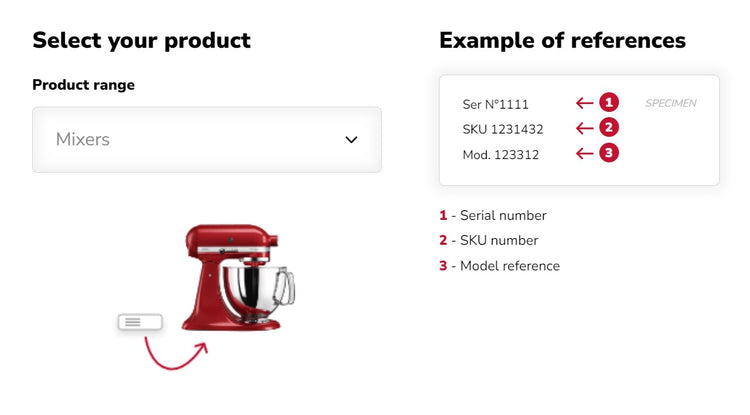
Free Digital Cookbook
Once your mixer has been registered, KitchenAid will send you a free digital cookbook packed full of tempting recipes. This is a fantastic resource for getting the most out of your new mixer, with recipes specifically designed to showcase its capabilities.
KitchenAid Artisan Stand Mixers: Model Differences
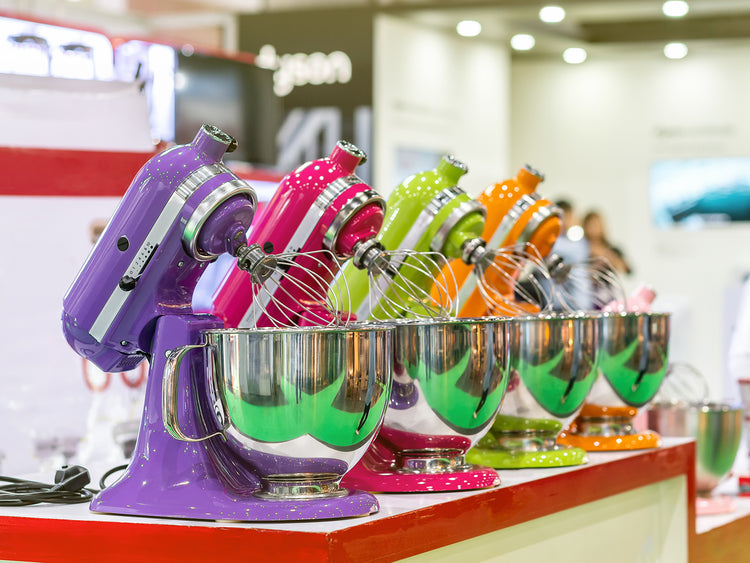
All KitchenAid Artisan models are identical in size and power, and all come with a comprehensive 5-year KitchenAid guarantee. The main differences between each model range are the colours available and what accessories are included with the mixer.
Model Comparison
| Model | 4.8L Bowl | 3L Bowl | Wire Whisk | Dough Hook | Flat Beater | Pouring Shield | Flex-Edge Beater | S/S Attachments |
|---|---|---|---|---|---|---|---|---|
| KSM125 | ✓ | — | ✓ | ✓ | ✓ | — | — | — |
| KSM156 | ✓ | — | ✓ | ✓ | ✓ | — | — | — |
| KSM175 | ✓ | ✓ | ✓ | ✓ | ✓ | ✓ | ✓ | — |
| KSM185 | ✓ | ✓ | ✓ | ✓ | ✓ | ✓ | ✓ | ✓ |
What Each Model Includes
KSM125 (Entry Level)
Wire Whisk • Dough Hook • Flat Beater • 4.8L Bowl
KSM156 (Standard)
Wire Whisk • Dough Hook • Flat Beater • 4.8L Bowl
KSM175 (Deluxe)
Wire Whisk • Dough Hook • Flat Beater • 4.8L Bowl • Pouring Shield • Flex-Edge Beater • 3L Bowl
KSM185 (Premium)
Wire Whisk • Stainless Steel Dough Hook • Stainless Steel Flat Beater • 4.8L Bowl • Pouring Shield • Flex-Edge Beater • 3L Bowl
Choosing Your Model
If you're new to stand mixers, the KSM125 or KSM156 provides everything you need to get started. The KSM175 adds useful extras like the pouring shield and smaller bowl for smaller batches. The KSM185 upgrades to stainless steel attachments which are more durable and dishwasher-safe – ideal for serious bakers who'll use their mixer frequently.
Available Attachments for Your KitchenAid Stand Mixer
KitchenAid stand mixers feature over 10 different attachments that let you roll and cut pasta, grind meat, spiralise vegetables, make ice cream, stuff sausages and much more. With attachments, a stand mixer can become one of the most versatile appliances you'll ever use in your kitchen.
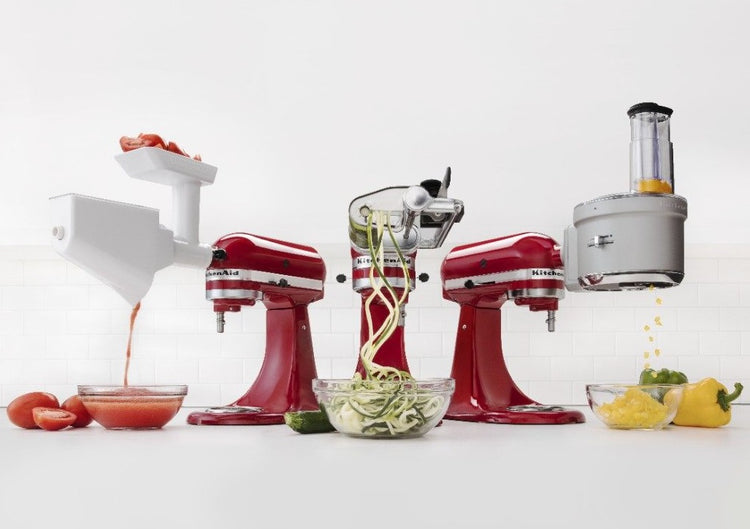
Popular Attachments
Pasta Roller & Cutters
Roll fresh pasta dough to your desired thickness, then cut into fettuccine, spaghetti, or lasagne sheets. Makes authentic Italian pasta at home.
Spiraliser Attachment
Create vegetable noodles and spirals for healthy low-carb alternatives. Perfect for courgetti, apple spirals, and creative garnishes.
Meat Grinder
Grind your own mince for burgers, sausages, and meatballs. Control the texture and know exactly what goes into your food.
Food Processor Attachment
Slice, dice, shred and julienne vegetables. The multi-functional food processor attachment saves time on prep work.
Ice Cream Maker
Create homemade ice cream, sorbet, and frozen yoghurt. The double-insulated freeze bowl requires no ice or salt.
Sausage Stuffer
Works with the meat grinder to stuff sausages with your own custom blends. Complete control over ingredients and seasonings.
Universal Power Hub
All KitchenAid stand mixers feature the same universal power hub at the front of the machine. This means any attachment will fit any KitchenAid stand mixer, regardless of age or model. An attachment purchased today will work with mixers from decades ago – and vice versa. This commitment to compatibility means your investment grows with you over time.
How to Adjust Bowl Clearance
Your mixer is adjusted at the factory to be the perfect height for optimum mixing. However, through time, shipping and use, it can change and need adjustment if the mixer paddle strikes the bowl or doesn't reach the ingredients.
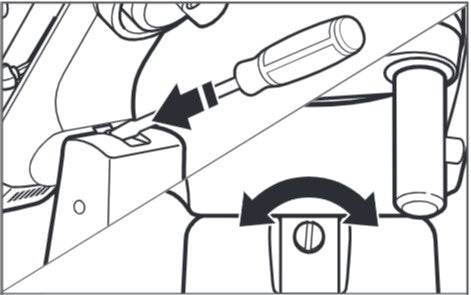
Adjustment Steps
- Lift the mixer head by tilting it back to the raised position
- Locate the screw situated in the hinge mechanism
- Turn counterclockwise (left) to raise the beater away from the bowl
- Turn clockwise (right) to lower the beater closer to the bowl
- Make small adjustments – a quarter turn at a time is usually sufficient
- Test with the flat beater so it just clears the surface of the bowl
Perfect Clearance
The ideal clearance is when the flat beater just clears the bottom of the bowl – close enough to effectively incorporate ingredients but not so close that it scrapes or strikes the bowl. You should be able to slide a piece of paper between the beater and bowl bottom, but only just.
⚠️ Don't Over-Adjust
Make small adjustments and test after each one. Over-adjusting can damage the mixer mechanism. If you're unsure, contact KitchenAid customer service for guidance.
Troubleshooting Common Issues
Stuck Beater
If the dough hook, wire whisk, or paddle (flat beater) is stuck on your KitchenAid mixer, don't worry. There are a couple of tricks that can help remove it.

Method 1: Warm Compress
- Compress a wet, warm towel around the beater shaft for 10 minutes
- Re-warm the towel after 10 minutes, apply again for 1-2 minutes
- This re-warms the aluminium, causing it to expand
- Try to wiggle and remove the beater
Method 2: Mineral Oil
- Apply a small amount of mineral oil to the shaft above the beater
- Apply oil in the slot where the beater attaches to the shaft pin
- Allow the oil to sit for several minutes
- Remove the beater (vegetable oil cooking spray works as an alternative)
Stuck Bowl
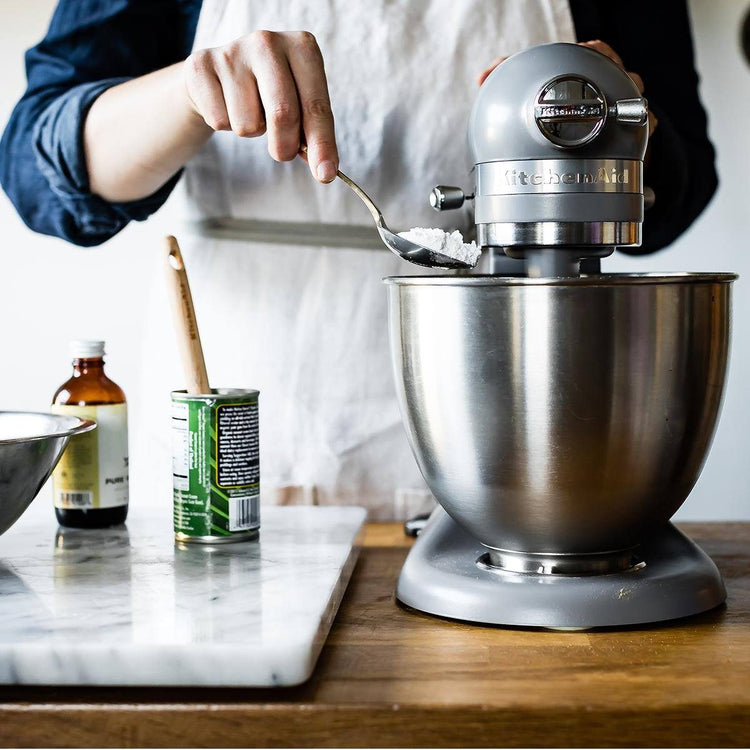
If you've been mixing a dense mixture for several minutes or more, it's possible that the force of the planetary action can over-tighten the bowl, causing it to stick.
Solutions for Stuck Bowl
- Ice Method: Empty the bowl, add ice cubes and cold water, leave for a few minutes. The metal will contract and the bowl should release easily
- Warm Compress: Wrap a warm towel around the base of the bowl for several minutes
- Gentle Tapping: As a last resort, wrap the bowl in a towel and GENTLY tap the handle with a rubber mallet
Oil Leaking from Mixer
Your KitchenAid mixer is packed with enough solid grease at the factory to last its lifetime. When the mixer is used, the grease is distributed around the gears to lubricate them. Over time, some oil can separate out of the solid grease and will naturally settle to the lowest point in the motor-head – which is just over the beater shaft.
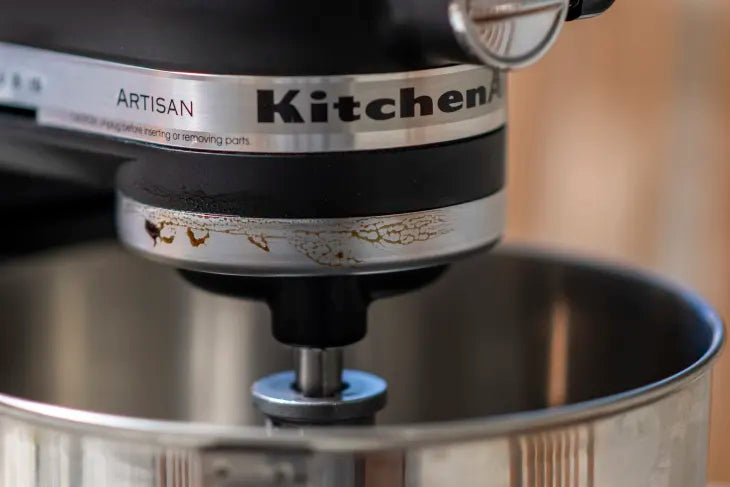
Why This Happens
Oil separation is more likely in warm weather and if the mixer is not used very often. Using it regularly may prevent it from happening. Overusing a mixer without allowing it to cool completely between uses can also cause this to occur.
How to Prevent Oil Leaking
- Turn the mixer on without any ingredients in the bowl occasionally
- If you haven't used your mixer for a while, run it on speed 10 for 2 minutes before use
- At the end of 2 minutes, turn it off and wipe any excess oil from around the shaft
- Avoid overusing the mixer – allow it to cool completely between uses
⚠️ When to Seek Service
If none of these methods prevent oil leaking, the mixer may need professional servicing. A servicer will remove all old grease, repack with new grease and replace the gasket. Contact KitchenAid customer service for assistance.
Mixer Stops Working
Your stand mixer may warm up during extended use. Under heavy loads and with long mixing times, you may not be able to comfortably touch the top of the unit. This is normal.
Steam-Related Shutoff
When mixing something steamy, the steam can condense on the circuit board in the mixer, causing an interruption to the flow of electricity and causing the motor to shut off. Once the steam has dissipated, the unit should turn on again (wait about 3 minutes).
Troubleshooting Checklist
- Is the mixer plugged in properly?
- Is the fuse in the plug in working order?
- If you have a circuit breaker box, check the circuit hasn't tripped
- Turn the mixer OFF for 10-15 seconds, then turn it back on
- If the mixer still doesn't start, allow it to cool for 30 minutes before turning it back on
Still Having Problems?
If the problem is not resolved with the advice above, please contact the KitchenAid Customer Service team:
Email: Contact form
Telephone: 0080038104026 (freephone)
Hours: Monday to Friday, 8:00am - 5:00pm
Warranty Information
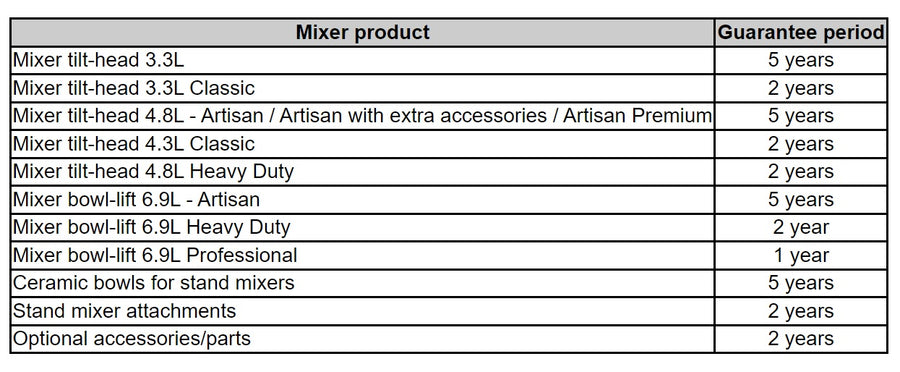
When you choose a KitchenAid product, you are protected from any manufacturing fault. All KitchenAid Artisan stand mixers come with a comprehensive 5-year guarantee.
Built to Last
All KitchenAid products are built to last and manufactured so that they can be repaired and enjoyed for as long as possible. This commitment to longevity means your mixer can serve your family for decades with proper care and maintenance.
Maintaining Your Guarantee
To maintain your guarantee, register your mixer after purchase and keep proof of purchase. Follow the care instructions in your manual, particularly regarding cleaning and storage. Avoid modifications or repairs by unauthorised service centres, as these may void your warranty.
Why Buy Your KitchenAid from Art of Living?
We've been KitchenAid specialists for over 50 years, stocking the complete range of stand mixers and attachments across our three Surrey showrooms.
Ready to Transform Your Baking?
Explore our complete range of KitchenAid stand mixers and attachments





Leave a comment